It has been a full year since MileageWise adjusted its system to convert phone-stored Timeline files into usable mileage logs.
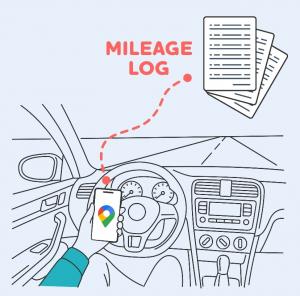
MileageWise operates as a mileage tracker and mileage log software company, focusing on retroactive mileage logging solutions.

Following twelve months of handling on-device Google Timeline imports, MileageWise outlines exactly what business drivers need to verify to safeguard their travel records.
SARASOTA, FL, UNITED STATES, July 14, 2026 /EINPresswire.com/ — MileageWise, a provider of mileage tracking and mileage log software, has disclosed its observations after one year of assisting drivers in transforming Google Timeline data stored on their mobile phones into well-organized mileage logs.
Google’s shift from primarily cloud-based Timeline storage to on-device storage substantially altered how users access, preserve, and export their travel history. In response, MileageWise modified its import process to handle supported Timeline data exported from mobile devices.
After collaborating with users and examining their files under the new framework, the company has pinpointed several recurring trends that business drivers should recognize before depending on Google Timeline for mileage documentation.
1. Numerous Users Remain Uncertain About Where Their Timeline Data Resides
A frequent source of confusion involves the distinction between viewing travel history in Google Maps and having that information securely stored, backed up, and accessible for export.
With the on-device model, Timeline history is linked to a specific phone rather than being easily reachable through a Google account as users previously expected. This becomes especially critical when someone replaces, misplaces, or resets a device.
MileageWise has also encountered situations where Timeline, backup, or auto-delete settings appeared to revert during the transition or after an update. While these issues were tied to the migration period, they underscore the necessity of routinely checking Timeline settings rather than assuming they have stayed the same.
Users should verify:
– Which device holds their Google Timeline History
– Whether Timeline backup is turned on and which account it is linked to
– Whether auto-delete is active and what time span it covers
2. Drivers Often Investigate Their Data Only When the Situation Becomes Pressing
Many business drivers do not examine their Timeline settings or confirm which periods are available until an accountant requests a mileage log or a tax filing deadline looms.
Under the current on-device system, periodically checking backup and auto-delete settings can help users retain the travel history they might later need for mileage logging.
MileageWise suggests becoming acquainted with these settings before the records are urgently required. This approach gives users more time to preserve their history and convert relevant travel data into a structured mileage log.
3. Google Timeline Data Is Useful, but It Does Not Constitute a Completed Mileage Log
Google Timeline can offer valuable historical evidence regarding when and where travel occurred. However, the raw data was not designed specifically for tax or reimbursement purposes.
A Timeline history may include:
– Personal drives
– Walking
– Flights
– Public transportation
– Parking locations instead of the actual destination
– Stops lacking a recorded business purpose
Transforming that information into a mileage log demands extra processing and review. MileageWise filters out car journeys, organizes the resulting trips, calculates distances between destinations, and guides users through categorization and finalization. The objective is not simply to transfer location history into a report, but to turn it into an organized and defensible mileage record that encompasses all Google Maps mileage.
About MileageWise
MileageWise delivers mileage tracking and retroactive mileage log solutions for self-employed professionals, small businesses, and other business drivers. Its mobile and web-based tools enable users to log new trips, import Google Timeline drives, categorize business mileage, and prepare structured mileage logs for tax or reimbursement needs.
Rebeka Lynn Barefield
MileageWise Inc.
email us here
Visit us on social media:
LinkedIn
Instagram
Facebook
YouTube
TikTok
X
Mileage Log from Google Maps app